Featured

Top WordPress Features For Website Designs

WORDPRESS PLUGINS

Wordpress website design Plugins

WordPress plugins are what makes a website alive, it is super easy to integrate word press plugins to a website design by using WordPress plugin manager.

To install a plugin you can either use the add new menu and upload a plugin, or you can select a plugin from their plugins manager, they have alot of plugins to offer, but when installing a plugin, make sure to install a high quality plugin because alot of the plugins on their WordPress website list are not so popular, the ratings should be 5 stars minimum and i don’t really download any website design plugins that have less than a couple thousand downloads.

Installing a professional WordPress plugin is important, because if you get a bad plugin by accident, you may possibly run into problems with your website design running extremely slow. A website can run slow because of plugins mainly if the plugin was coded using bad techniques, and making it render blocking all the content from being executed on your site.

Plugins play a big role in part how your website will perform in the future, and updating your plugins is also an extremely important part of maintaining your website after it has been launched by you or your web developer, if plugins aren’t updated,they have a potential to break easily in the future, because its like any technology that isn’t updated these days,it breaks.

Updating a plugin requires practically no effort indeed, all you really have to do is goo into the plugin section of your plugins manager from the WordPress cpanel and look for your plugin, once you found the plugin you want to update, it should display a yellow message box beside or on the plugin if there is a new update available, the look for the plugin update now button, and there easy, your plugin will be updated, after updating your plugin, make sure to refresh your website and make sure that it did not interfere with the layout of your website.

If you choose to edit a plugin on your own, and this topic will apply for editing your themes as well, make sure not to do any direct edits on the plugin itself, because if you change anything inside the plugin, it will most likely get wiped away during an update, because an update reinstall any plugins that you are updating.

To edit the plugin all you need to do is to create a theme child, which is just a copy of a theme that you will be using, and in the theme files, make a file with the same name as the plugin that you want to edit, then all you need to do is copy the file into the file you created in your plugin folder which is located in your child theme, then you can edit it with ease of mind and should have no problems in the future because the plugin will just be overwritten with extra content from the child theme folder.

WORDPRESS THEMES
Wordpress themes

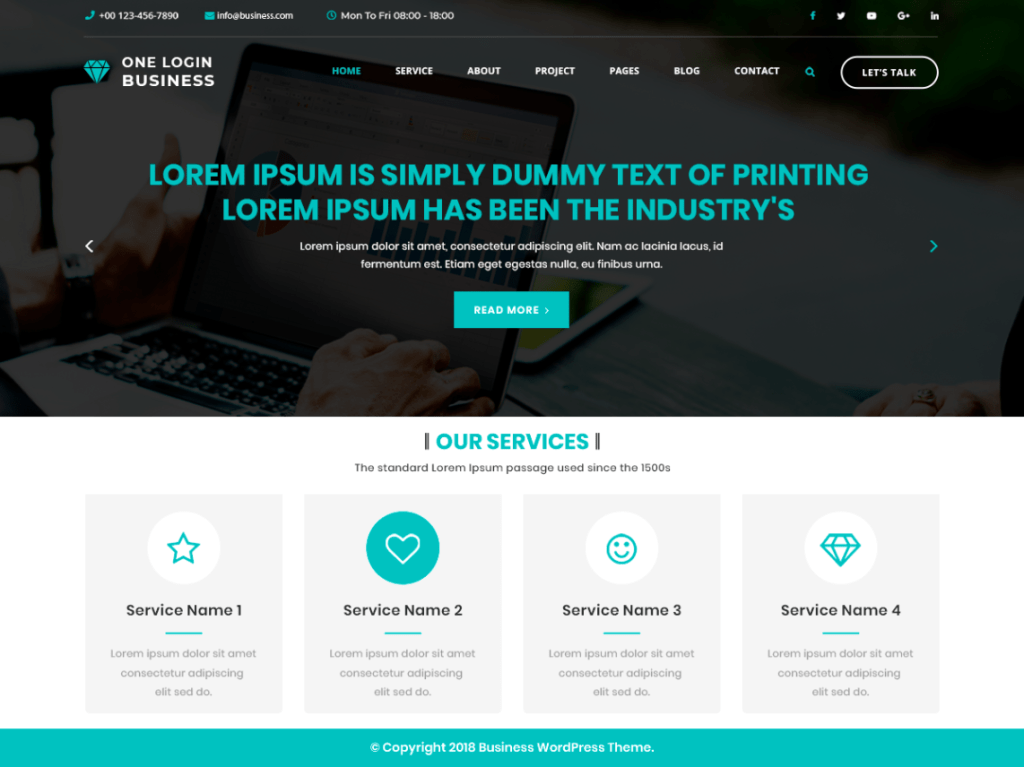
WordPress themes are an amazing addition to website designs being create on WordPress. A WordPress theme is basically a template which allows the user to create a website fast and effective, it makes sense to use a template when building a website design because you will get all the benefits of not creating pages each and every time you wish to update some content or even add a new page. A template is effective because it already has a premade website design layout made for you and you don’t need to think about making the layout work.

WordPress themes are usually mobile responsive, but make sure to only download professionally made themes by experienced developers, any themes that are not made by a reputable and professional theme makes is usually going to be crap with many problems down the line, you can have problems such as content being messed up, words being spelt wrong, and even worse, some plugins that you want to use might not work with that type of website theme.

Themes are usually free, but there are premium themes available, technically premium themes will be much much better made for WordPress because only professionals are allowed to make a premium theme, the usual price of a premium theme would be in and around 55 dollars, but on my experience it is not needed to purchase a premium theme, you can easily get away with using free themes and customizing them alot with using css and JavaScript.

WORDPRESS CUSTOMIZE
Wordpress customize

WordPress Customize feature is extremely important as there you get all the options on allowing you to fully customize a WordPress website design Dublin. You get many many features in the customize panel of WordPress, but there may be a slight variation in what type of customizing you are allowed to do depending on your WordPress theme. The customize panel on WordPress is extremely useful, from here you can esily edit the colors of your site, add more css, customize the homepage look and even change the standard layout of your website.

A cool feature of the customize panel you get in WordPress is the additional CSS section, in this section you are able to easily add css styles and rules to make your website design Dublin look great on all devices, the additional css section is basically a feature that allows you to add your own custom css. The additional css feature basically allows your website design Ireland to have a better layout, in there you are able to make media queries which essentially change how your website look depending on you devices screen width. Another good part of the customization panel is the menus section, from the menus section you have full control of making or adding a menu to your website.

The menu section allows you to easily make and add menus to your website, you can make a menu by adding different pages to it, then you can even change the names on how they appear in the menu, and once you created the menu you can assign where you would like to use it on your website design, Typically i only use this menu section for adding my header, as when your header is made without using the menu section, it uses your pages full names but that is not always ideal as sometimes you need a header which contains short names, that’s when the menu option will save you, you can also easily select and remove which pages you want to be included in your menu easily by using a drag and drop selection tool.

WORDPRESS WIDGETS
Wordpress website design plugins

Next on our WordPress list for website designs in Ireland would be the good old WordPress widgets tool. WordPress widgets is a selection of widgets that can be setup anywhere on your website design dublin. There are a bunch of WordPress widgets initially and your WordPress widgets will be different on different WordPress website design dublin themes as the theme will decide where your WordPress widgets are allowed to be places, mainly WordPress widgets are allowed to be places in the footer and sidebar. They are extremely useful in the footer because you can then easily add links and pages to your footer.

When you add an image or link through the widgets panel to your footer, then it is displayed all over your website as the footer links and images are always sticky with each website page. Another cool setting available in the widgets website design area is the theme setting to be changeable, you can change your theme setting in your website design by using the widgets section. There is also a cool feature which allows you to change the these colors in the customization panel, when you change the colors of your theme it would be changed to displaying through out the website. There is a whole lot of different widgets available in the widgets menu when adding it to the footer of your website design Dublin, you can add a widget such as a woocomerce website product item and it will display all your item that your selling on your website.

You can also add a product search in one of your widgets which typically would wither be int he header or the footer of your website design. In the customization panel one other thing that is useful is the background image section, in the background image part, you are able to easily select what type of image you want to use, once you selected your background image, you can then either center the image ir make it a fixed position, it will then make your website design look much better since your website will be including a image in the design and you can all agree a website with a background image look much nice than a plain old website without any background images available.

One last thing that i would include in my top customization items in the WordPress customization menu would by the Site Logo selection, this course depends whether your WordPress theme has allowed it or now, but to be fair, most WordPress themes nowadays have the option to include a friendly logo on your website design, a logo is essential for your website since it gives your website a meaning and it is basically branding your website design.

WORDPRESS ELEMENTOR
Elementor wordpress plugin

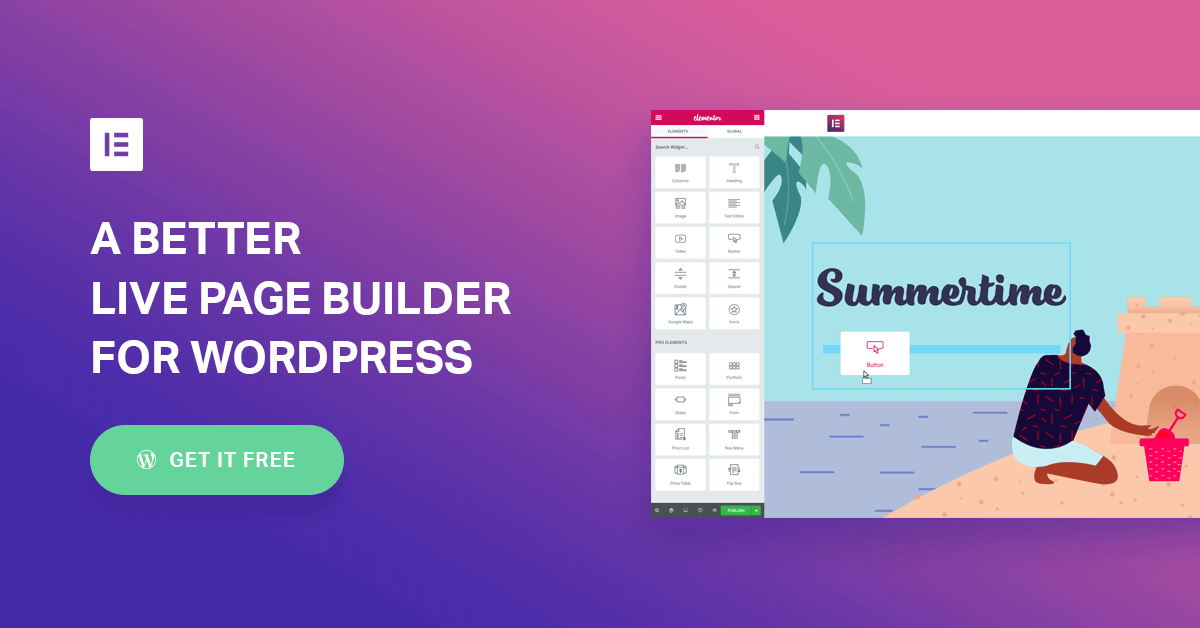
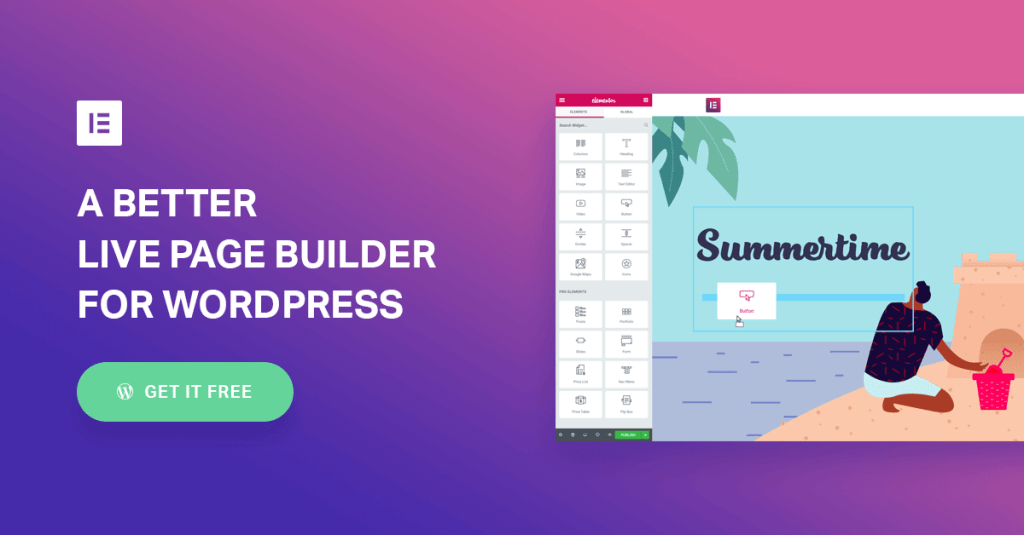
Lastly on this topic the next best feature that WordPress has to offer is the elementor drag and drop site builder. Elementor is esentially a plugin, but this plugin deserves its own topic, mainly because there is alot to it, elementor allows you to create a website using its built in features of being able to drag and drop elements on a website screen. Elementor allows a user to create a Web design without any knowledge of website designing and it can easily allow you to customize your own layout.

In elementor you get a beautiful panel when building a website which allows you to change colors, change fonts used, and even change the way the website will look like on smaller screen sizes without adding any additional css code. Elementor is available in pro version, but for now i have only used the free version as the free version of elementor allows you to build sites freely, but if you need to make a design for a ecommerce website, then you would need to purchase elementor pro.

Elementor pro isint too expensive but the bad thing about is, is that you can only buy elementor pro on one website, then if you need to use it on another website, you would need to purchase elementor pro again, which i feel is a little unfair and i think that elementor will change this in the future, Elementors price is about 55$ for 1 website, but you can get better deals if you buy it for multiple other websites all at once. I would recommend to use elmentor to most people that want to build their own website design Dublin and don’t know much about coding in general, but its even used by professionals which tells you a lot.

Elementor has a lot of features built into the free version and its a well coded plugin which doesn’t really slow down your web page speed loading times by much, but if you need to get faster speed loading times ad if its your main priority for your website design Dublin, then i would recommend to build a website using bare html and css, so elementor is a good way for making a site when it needs to get updates regularly by other people that don’t have much coding experience.

Elementor has a great addition of using templates which you can easily create your own and insert them where you want, this is cool when you need to have the same sections on multiple pages which allows you to fast drag and drop a part of your website design into multiple pages. Elementor Pro does have a cheeky way of earning money, and that is fair because they do provide a decent service, actually more than decent i would say, extremely lovely service by elementor.

They offer a pro plan for 1000 websites for a charge of 199$ per month, that is actually fairly decent i would say, and most likely my next item on the to buy list 😀

Featured

How to rank high on google

What are the top ways of making your awesome website design hit the top ranking pages on google? Its acutually quite easy, just follow these top 5 easy tips and tricks and you will be getting google traffic in no time.

Google traffic is extremely important to alot of businesses, because without google, a website is basically useless, since it wouldn’t be found by the target audience that you need.

Below we will list the top ways that we have discovered after many years of website design in dublin on how to make google rank you, not only just rank you, but boost you to one of the top of its index pages.

1. CONTENT

ranking content

For ranking anywhere near the top pages of google, you will be required to produce some sort of high quality content. This is important because google will analyze how much content you have written in the past. High quality content can be made by anyone, like creating blogs with links directing back to your website that you require. Also posting frequently is quite important, because then google will see that your website design is regularly updating its content and will make sure to regularly visit your webpage to re-Index your website.

2. Backlinks

great backlinks tool

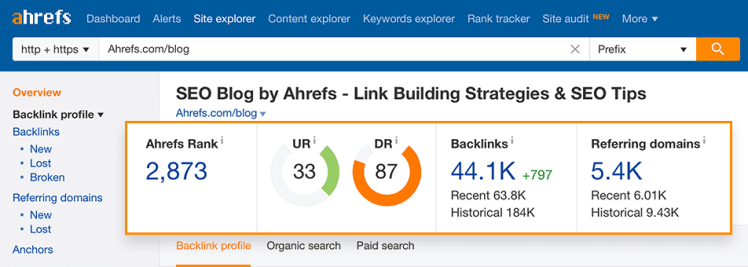
Backlinks are the second most important factor when ranking a website, because google looks at the amount of backlinks any website has, and from the amount it will then decide who gets placed higher on its ranking index. To get high quality backlinks is quite easy, all you have to do is create small and simple blogs on web 2.0 websites such as blogger or wordpress and then add links back to your website on them, When you make blogs specifically for link building, make sure that you are making posts also without links, since google is smart, it will fish out what blogs are real and what are fake. Also when making these link building blogs, make sure to create high quality content in them, or else google will skip through and mark it down as a spam blog.

3. Page Speed

fast page speed

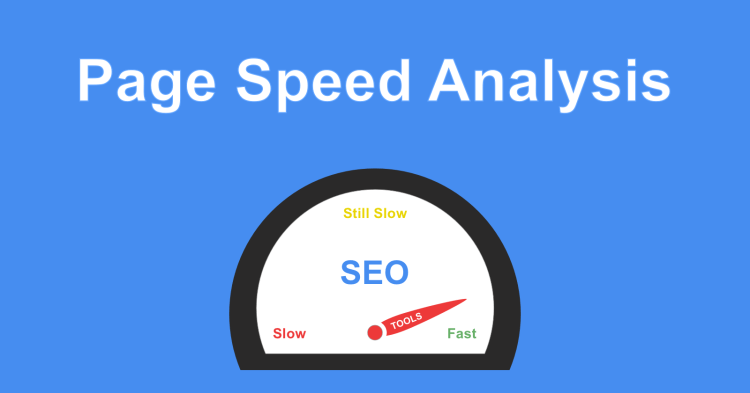
Page speed is extremely import nowdays in website design. Google uses page speed as a high ranking factor when determining if your website is good or not. Also having a high page speed ranking is usefull because there was a statistic made a few years ago, that if a website lods for more than 3 seconds, the user will most likely skip back and not view your site. To increase your page speed is simple, make sure that you resize your images properly, like if you need a image on your website and know its maximum width will be 500 pixels wide, there is no point in having a 1000 pixel image that just gets resized on your website, So make sure to crop the image to the exact size that’s needed. You can test you page speed by using Page speed insights provided by google itself.

4. Social Media

social media

Social Media will play a bit part wether you get customers or not. Main reason is because most people before believing something they see will go online to see proof, and social media is a big big place where social proof can be seen and shared. Even uploading images and posts regularly will improve your chance of a customer picking you, why? because imagine if you have a competitor without social media, and they look you up online and see a load of posts and images about you, proving that you are not a scam and really exist online, and then they see your competitor without having any online presence at all, no images, no posts, that’s an easy win there.

5. Reviews

google reviews

Last but not least is our good old reviews, of course if you are only starting out, you may not have much google reviews yet, but hold on, who said you cant get reviews from your friends or family? But when they do write reviews for you, make sure that the second name is different, otherwise google can catch onto something and it might look fake. A good place to get reviews is on your google my business page, simply because it is what everyone uses these days to look at proof , reviews or even just find the location of a place. Get as many reviews as possible, because once you have alot, that’s alot of proof showing google that you are great at what you do, and once google can see that you are great, your website design dublin will be at the top of googles ranking pages.

Featured

Top 5 Website design dublin tools

What are the top 5 website design tools used for creating a website? Well there are many tools out there and each tool has their own specific use, Today we will go through the top 5 tools that we would recommend on using when building a website design dublin in 2020.

1. ATOM

atom website design tool

Atom is our most used tool when building a website design. Atom is a code editor which allows you to write your own code, and save code files in a structured way. Atom is very resourceful because you are able to download plugins easily which allow you to make shortcuts when writing code, and they offer lots of help, such as opening a live server through atom to view your HTML live in a browser window with auto refresh. Atom is also a free code editor and can be fully customized. You can download atom for free from their WEBSITE..

2. WORDPRESS

wordpress tool for web design

WordPress is a commonly used website building platform. WordPress is usually only used when you need to create a website fast and effectively. WordPress is more than Just a website design tool, it is a whole platform where you can build a website by dragging and dropping items, Although alot can be customized and changed in wordpress, but if too many items are changed around, some parts will break and your code will be abit messy. A little downside of wordpress when making a website design dublin is the control you have over your code, for example when writing code in ATOM or any code editor, you have full control over every aspect of your code, every request you send and recieve, but with wordpress, you don’t have that type of control, because you rely on plugins and html code created for you with the help of php. So in summary, we would recommend to use wordpress when you are making a website for a customer, so that you could make it look nice, and in a short period of time.

3. ADOBE XD

adobexd web design tool

AdobeXD is a well known tool used for designing websites, it is mainly used to create a website mockup before writing any code. AdobeXD is easy to use and requires no coding at all. We use this tool sometimes when we are making a website design and are not sure how we want to make it look, so instead oof making adjustments to html and css code, we just make the full mockup of the design on adobeXd, then once the customer agrees to the mockup, we start building the website from there, also if the customer has any adjustments that he or she wants to make, they can easily be done on the spot within a couple of minutes. AdobeXd also has the ability to create pages and register interactions, it allows you to make a menu and you can actually click the menu which you can set what action it will do.

4. FileZilla

filezilla website desing dublin tool

FileZilla is a favourite tool of ours, especially when it comes to making a website from pure html/css. This tool is used for transporting files in/out of your website hosting. Flezilla is useful when you have a large ammount of files that need to either be uploaded or deleted from a website hosting server, Ofcourse you can always use a cpanel that your web host provides, but more than likely it will be slow and confusing, but when using filezilla it is straight forward and easy to understand, the hardest part of using FileZilla is the connecting part, to connect to filezilla, you will have to get your host: which is usually your host servers ip address, username and password. All the FTP information should be displayed on your website hosting control panel, if you need some assistance with connecting to your ftp server, drop Website design a message, they will be glad to help you with your website design.

5. Photoshop

photoshop tool for website design

One of our top tools used for website design is PhotoShop. Photoshop is a useful tool for website design, but not only website design, photoshop is used for a wide variety of things, such as editing a photo, editing a image, adjusting colors, logos and much much more. We use photoshop for our web design projects by Adjusting image sizes easily, you can simply adjust a image size with 3 clicks, after adjusting an image size you can then adjust the image quality, this is useful when you have non important images on your website which do not have to be in high quality format, such images are used for backgrounds with a overlay applied to it. Photoshop is also widely used for editing logos, sometimes if a certain individual wants to save money on buying a logo for a website design dublin, they will create a logo using a logo maker, then screenshot the preview logo that contains a watermark, and then simply edit the logo with photoshop to remove all the watermark contents.

Social Media / Google Ranking

Ok, so this isint technically a so called “tool”, but Social Media is extremely important to keep your website alive. I guess it dosent play much of an important role in actually creating your website design, but once you have launched your site and are open for business, you need traffic and customers visiting your website. This can be hard at the start, since google does not know how real you are and how important your company is, it might not index you straight away, and once it does, you will most likely be on the last search results pages. This doesn’t have to be for long, The first few steps you should do to having a website that is on the top page of google is to create accounts on all social media websites and fill them up with images, posts of your website / service. This will make google see that your website design is of high value and wil slowly but surely start to rank you higher and higher with every day.

Featured

Website Design Images

How to: Website Design Images

Image picking

Hello, in this blog we will discuss the importance of using and picking the correct images for your website design. So to start off, when picking images, make sure they are unique and colorful, what we mean by this is that, try to stay away from copying other peoples images online and pasting it onto your website design.

Image Alt Text

When creating a website design, almost all designs will contain some images, and there is more to images than just a colorful picture when referring to website designs and CSS. An image consists of 3 parts, the image tag, the source, and the alt text, alt text is usefull for describing what the image is about, it is used by blind people that view websites using voice control, also image alt text is useful when a website design does not load correctly and no images are displayed, then your alt text will be displayed instead, not ideal, but better than nothing.

Image sizes

When picking images for a website design, make sure that you take the image original sizes into consideration. It is important to pick large image sizes in resolution for parts of your design like the background image, for example, if you have a small 50 x 50 pixels images, and you decide to use it for a background, for a full width web page, then your image will be extrelemly streteched out and pixelated, which would look horrible. A Website Design Dublin company makes good use of images on their homepage, by picking large image sizes for their backgrounds and picking smaller icon images for product images.

Image editing

Using images on a website design does not just mean you found a image and stuck it on your website, no, sometimes you get the pleasure of editing images, and for editing images we would recommend using Photoshop. It is easy to use photoshop, especially if you have the abilities of coding up websites, then learning on how to edit images will be easy. Things in images that we usually have to edit, are the sizes, it is much easier to work with the same size images when you want them all to fit nicely inside 3 boxes that are positioned inline in your website design.

Image Colors

Before placing an image on your website, analyse it, make sure that it fits in with your website design, make sure that the colors on the image match up with your content. A good thing to note is that, make sure that your images correspond with the content that you are producing.

Design a site like this with WordPress.com
Get started